
Engineering ticket management software
A ticket should carry the context that makes it actionable
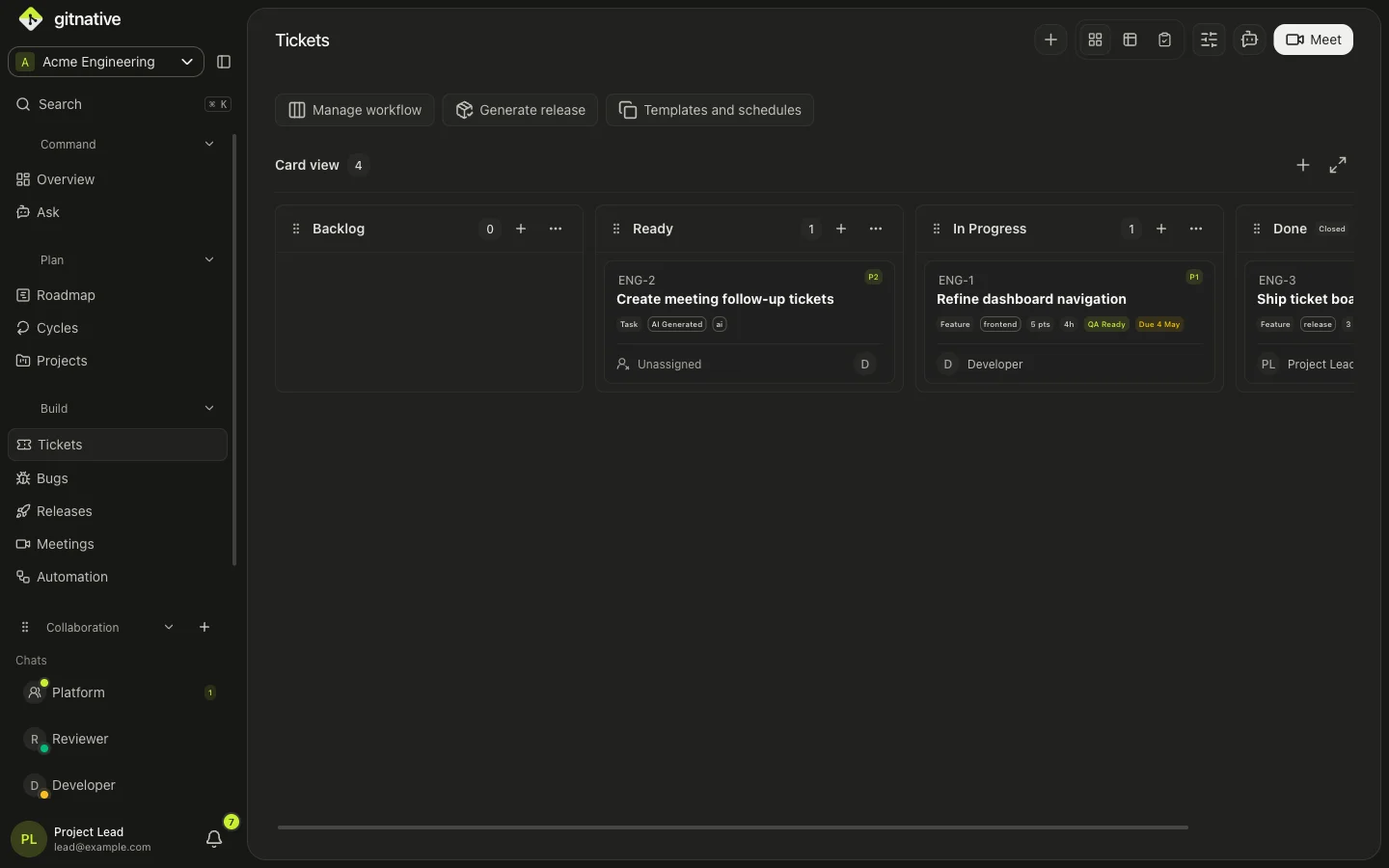
GitNative connects engineering tickets to their source, owner, dependencies, QA state, GitHub implementation, and release evidence from intake through delivery.
Reviewed
Direct answer
What is engineering ticket management?
Engineering ticket management software tracks bug reports, feature requests, technical tasks, decisions, and delivery work from intake through release. GitNative keeps each ticket connected to its owner, priority, dependencies, QA state, GitHub branches, pull requests, commits, meetings, projects, roadmaps, and release context in one source-backed workflow.
Capabilities
Keep the reason for the work visible as delivery changes
Source-backed scope
Attach the request, meeting, decision, project, or conversation that explains why the ticket exists.
Implementation visibility
Track related branches, pull requests, commits, dependencies, QA state, and release readiness.
Clear ownership
Route work to likely owners using current team, repository, project, and delivery context.
AI-ready work
Refine rough requests into actionable tickets and provide grounded project context to supported coding agents.
Workflow
From first signal to release, with the context still attached
- 01
Capture the signal
Create work from a product request, bug report, meeting board, collaboration thread, or engineering decision.
- 02
Plan with real context
Set priority, owner, estimate, dependencies, QA requirements, project, and roadmap position.
- 03
Follow the implementation
Keep Git branches, pull requests, commits, reviews, and release state visible from the work item.
- 04
Close the loop
Publish release context and preserve the decisions and delivery evidence future teammates and agents will need.
Comparison
GitNative vs a conventional ticket tracker
A conventional tracker records work. GitNative is designed to keep the surrounding engineering evidence attached as the work changes.
| Criteria | GitNative | Conventional tracker |
|---|---|---|
| Ticket context | Connects the ticket to code, decisions, meetings, conversations, ownership, projects, and releases. | Usually centres on fields, comments, attachments, and links added by the team. |
| Delivery view | Branches, pull requests, commits, dependencies, QA, and release readiness remain part of the workflow. | Delivery signals often arrive through separate integrations or manual status updates. |
| Work creation | Create reviewed work from meeting decisions, bugs, support intake, conversations, and AI prompts. | Work usually begins in a form, backlog, inbox, or imported integration event. |
| Agent access | Workspace-scoped discovery and operations through hosted MCP and a portable Agent Skill. | Varies by vendor, API, plugin, and the context assembled for each agent. |
Best fit
How to choose the best engineering ticket management software
Choose GitNative for connected delivery context
Use GitNative when tickets need to stay connected to GitHub delivery, decisions, meetings, collaboration, releases, and supported AI-agent handoffs.
Choose Jira for broad workflow configuration
Use Jira when the organisation depends on deeply configurable workflows, established Atlassian products, or work management across engineering and non-engineering teams.
Official Jira feature overviewChoose Linear for focused issue tracking
Use Linear when a product and engineering team prioritises fast issue tracking, planning, and product-development workflows in a focused interface.
Official Linear feature overviewChoose GitHub Issues for repository-native work
Use GitHub Issues when the team wants issues, project planning, discussions, and code activity to remain primarily inside GitHub.
Official GitHub Issues overviewQuestions
Clear answers for evaluation.
What should an engineering ticket include?
A useful engineering ticket should explain the outcome, scope, owner, priority, acceptance or QA expectations, dependencies, relevant decisions, and links to implementation. GitNative keeps those fields and source relationships together.
How is engineering ticket management different from help-desk ticketing?
Engineering ticket management follows product and software delivery through planning, implementation, code review, QA, and release. Help-desk ticketing focuses on requester communication, queues, service levels, and resolution.
Can GitNative create tickets from meetings?
Yes. Teams can use live meeting boards and follow-up workflows to create tickets, bugs, projects, and roadmap items while preserving the meeting context.
Does GitNative connect tickets to GitHub?
Yes. GitNative connects tickets with repository activity including branches, pull requests, commits, contributors, and release information.
What is the best ticket management software for an engineering team?
The best choice depends on the workflow. GitNative fits teams that want GitHub delivery, tickets, meetings, collaboration, releases, and AI-agent context together. Jira fits highly configurable cross-company workflows, Linear fits focused product-development issue tracking, and GitHub Issues fits repository-native planning.
Do engineering teams need SLA tracking in their ticket tool?
Teams handling support or service commitments may need response and resolution SLAs. Product engineering teams usually prioritise ownership, dependencies, code review, QA, delivery risk, and release readiness. GitNative focuses on that engineering delivery workflow rather than positioning itself as an IT service desk.
Start with GitHub
Keep the reason behind the work attached as it ships.
Start free for up to two active contributors. Connect one repository and test a source-backed workflow in GitNative.
Start free with GitHub