
Engineering collaboration tools
Engineering decisions should not disappear between tools
GitNative connects conversations, meetings, decisions, tickets, GitHub activity, and releases so the next owner can see what changed, why it changed, and what happens next.
Reviewed
Direct answer
What should an engineering collaboration tool keep connected?
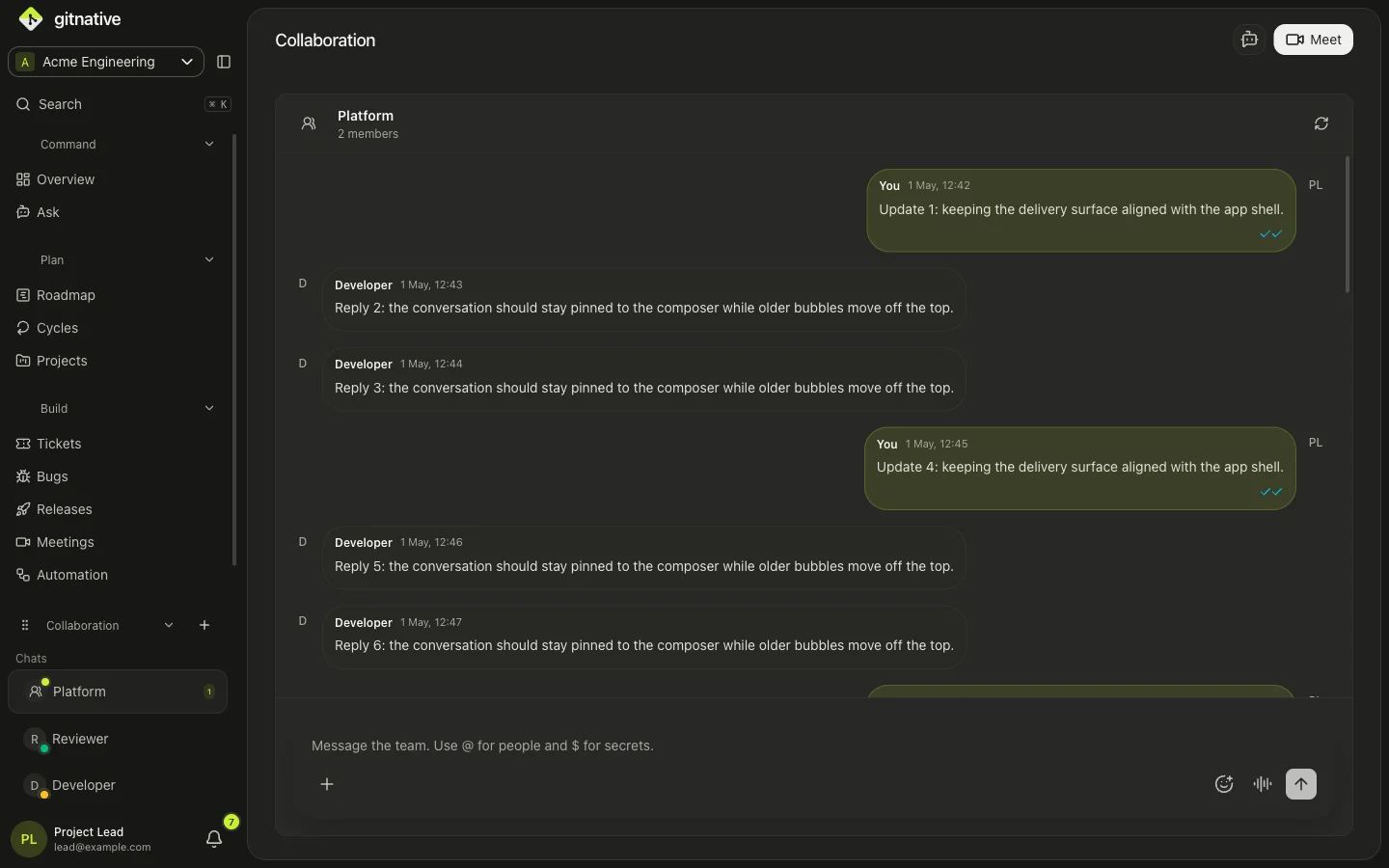
An engineering collaboration tool should keep technical communication connected to delivery. GitNative combines team conversations, threaded comments, live presence, attachments, video meetings, collaborative boards, tickets, projects, GitHub activity, decisions, and governed agent access so a discussion can become owned work with its source attached.
Capabilities
Keep every handoff closer to the work it changes
Conversations become durable context
Use channels, direct conversations, threads, reactions, edits, attachments, mentions, and teammate presence.
Meetings produce owned work
Capture decisions and follow-ups on live boards, then create tickets, bugs, projects, and roadmap items together.
Code explains delivery state
Connect discussion and work to GitHub branches, pull requests, commits, contributors, and releases.
Agents use the same workspace memory
Give supported AI tools controlled access to decisions, tickets, ownership, delivery history, and repository context.
Workflow
From discussion to owned work, without dropping the source
- 01
Discuss
Work in a team conversation, ticket thread, meeting, or prompt with the relevant people and files present.
- 02
Decide
Record the decision and link it to the project, ticket, code, client, or roadmap context that shaped it.
- 03
Create owned work
Turn the outcome into a reviewed ticket, bug, project update, follow-up, or release action.
- 04
Preserve the evidence
Keep delivery history searchable for teammates, managers, and supported AI agents.
Comparison
GitNative vs a disconnected collaboration stack
Point tools can each be excellent. The cost appears in the handoffs between them.
| Criteria | GitNative | Disconnected stack |
|---|---|---|
| Discussion to ticket | Create or update work from conversations and meetings with the source context attached. | Copy summaries, links, owners, and decisions into a separate ticket system. |
| Ticket to code | Show branches, pull requests, commits, QA, dependencies, and releases alongside the work. | Rely on integrations, pasted links, and repeated status updates across tools. |
| Meeting follow-through | Use collaborative boards and create owned delivery work during or after the meeting. | Move notes and action items from the call into chat and then into the tracker. |
| AI context | Expose current workspace knowledge through hosted MCP, Agent Skills, and source-backed retrieval. | Assemble permissions, connectors, and context across each separate system. |
Best fit
Useful across the engineering delivery loop
For software teams
Keep product, engineering, QA, release, and support conversations tied to the same owned delivery work.
For technical leaders
Trace why work changed, where it is blocked, who owns the next step, and which source supports the answer.
Questions
Clear answers for evaluation.
Which collaboration features does GitNative include?
GitNative includes team and direct conversations, threads, reactions, edits, attachments, mentions, presence, voice notes, video meetings, collaborative meeting boards, ticket comments, and source-linked decisions.
Can GitNative replace both chat and ticket tools?
For teams that want collaboration centred on engineering delivery, GitNative can cover both. Teams can also adopt it alongside existing Jira or Linear workflows while evaluating the connected experience.
How does GitNative help distributed engineering teams?
It keeps asynchronous conversations, meeting outcomes, tickets, ownership, code links, and release context in one searchable workspace, reducing the context lost between time zones and tools.
Can AI agents access collaboration context?
Supported agents can use GitNative MCP and the portable Agent Skill to retrieve workspace-scoped tickets, decisions, ownership, delivery history, and related context. Consequential write-backs remain explicit and reviewable.
Start with GitHub
Keep the reason behind the work attached as it ships.
Start free for up to two active contributors. Connect one repository and test a source-backed workflow in GitNative.
Start free with GitHub